Introduction
Best AI Tools for Video Generation can make video creation much faster and easier for me. Whether I am a student creating a project, a content creator making YouTube videos, or someone experimenting with AI, these tools can help me turn ideas, scripts, and images into engaging videos.
I no longer need expensive cameras, complicated software, or advanced editing skills to start creating. Modern AI video generators can help with video creation, avatars, animation, voiceovers, subtitles, and even editing.
What Are AI Video Generation Tools?
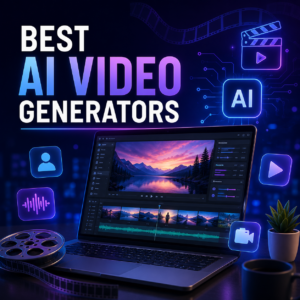
AI video generation tools use artificial intelligence to create video content from text prompts, scripts, images, or other inputs. Depending on the platform, I can generate short cinematic clips, social media videos, presentations, tutorials, or AI-avatar videos.
The biggest advantage for me is time. Instead of spending hours creating every element manually, I can use AI to handle repetitive parts of my workflow and then add my own creative touch.
Best AI Tools for Video Generation
1. Runway

Runway is a powerful choice for creators who want more creative control. I can use it for text-to-video, image-to-video, visual effects, and other AI-powered video tasks.
For me, Runway is particularly useful when I want to experiment with creative storytelling instead of simply generating a basic video.
Best for: Content creators and creative video projects.
2. Pika

Pika is designed for quick and creative AI video generation. I can use text or images to create short clips and experiment with animations and visual effects.
It is especially useful for me when I want to create attention-grabbing content for platforms such as Instagram, TikTok, and YouTube Shorts.
Best for: Short-form and social media content.
3. Kling AI

Kling AI has become a popular option for generating realistic motion and cinematic clips. I can create videos from text or images and experiment with different scenes and movements.
I would consider Kling when realistic movement and visual quality are more important than having a complete editing workflow.
Best for: Cinematic visuals and realistic motion.
4. Synthesia

Synthesia is another AI video platform focused on avatar-based content. I can turn written scripts into presenter videos without needing a camera or recording setup.
For students, educators, and people creating professional training content, this type of AI video generator can save considerable production time.
Best for: Educational, training, and presentation videos.
5. HeyGen

HeyGen takes a different approach to AI video generation. Instead of focusing mainly on cinematic scenes, it specializes in AI avatars and presenter-style videos.
I can write a script and create a video with an AI presenter without recording myself. This can be useful for tutorials, educational content, presentations, and marketing videos.
Best for: AI avatar and presenter videos.
6. InVideo AI
InVideo AI is useful when I want to create a complete video from an idea or script. It can help generate scenes, add voiceovers, subtitles, and other elements within a video workflow.
I would recommend it to beginners who want a simpler way to move from an idea to a finished video.
Best for: Beginners, YouTube creators, and marketing content.
7. Google Veo
 Lumen5 helps transform written content into videos. I can use articles, text, or ideas and create visual content around them. This makes it useful when I want to repurpose existing content for social media.
Best for: Bloggers, marketers, and content creators.
How I Choose the Right AI Video Generator
For Students
As a student, I would look for an easy-to-use tool that can help me create presentations, educational videos, project videos, and visual explanations without requiring advanced editing knowledge.
I would also check the free plan, export limitations, and whether the tool allows the type of AI-generated content permitted by my institution.
For Content Creators
For content creators, I would focus on video quality, generation speed, aspect ratios, voiceovers, subtitles, and social media support.
If I create YouTube Shorts or Instagram Reels, quick generation and vertical video support can be more important than advanced cinematic controls.
For Video Editors
If I already know video editing, I would choose an AI video generation tool that complements my existing workflow.
Features such as image-to-video generation, AI effects, background editing, scene generation, and automatic subtitles can help me reduce repetitive work while keeping creative control.
Tips to Get Better Results
Write Better Prompts
I get better results when I describe the subject, environment, camera movement, lighting, mood, and visual style clearly.
Instead of writing “a man walking,” I can describe the location, time of day, camera angle, movement, clothing, and overall mood.
Always Review AI Output
I never recommend publishing AI-generated content without reviewing it. AI videos can still contain strange movements, inconsistent objects, incorrect text, or other visual problems.
I prefer using AI for speed while keeping human creativity and editing involved in the final production.
Conclusion
The Best AI Tools for Video Generation depend on what I actually want to create. Google Veo can be useful for realistic visuals, Runway for creative control, Kling for cinematic motion, Pika for short-form content, while HeyGen and Synthesia are better suited to AI presenters.
For students and content creators, I believe the best approach is to test different AI video generators and choose the one that fits the project, budget, and workflow.
Which AI video generation tool would you try first for your next video project?