Introduction
 Best AI Tools for YouTubers can make starting and managing a YouTube channel much easier. I have seen how creators spend hours researching ideas, writing scripts, editing videos, designing thumbnails, and preparing Shorts. AI can now help with many of these tasks while allowing creators to focus on their ideas and audience.
The important thing is not to use every AI tool available. I recommend choosing tools based on the specific part of your YouTube workflow where you need help.
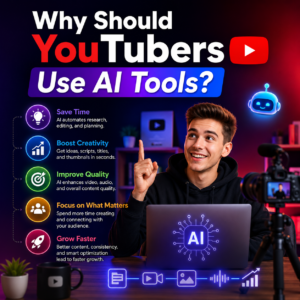
Why Should YouTubers Use AI Tools?
When I create content, I want to spend more time being creative and less time doing repetitive work. AI tools can help me brainstorm topics, create script drafts, improve titles, edit videos, generate captions, and repurpose long videos into Shorts.
However, I never recommend publishing AI-generated content without reviewing it. Your personal experience, opinions, storytelling, and creativity are what make a YouTube channel unique.
Best AI Tools for YouTubers
1. ChatGPT – Best for Ideas and Scripts
 For me, ChatGPT is one of the most flexible AI tools for YouTube. I can use it to brainstorm video ideas, create outlines, develop hooks, write script drafts, and improve titles and descriptions.
I especially recommend it to beginners because I can give it information about my audience and niche and then refine the result through follow-up prompts.
2. vidIQ – Best for YouTube SEO
 vidIQ is useful when I want help with YouTube ideas, titles, descriptions, scripts, thumbnails, and content planning. Its AI Content Generator can create several parts of a video package from one idea.
For creators focused on YouTube SEO tools, vidIQ can be a useful addition because it is designed specifically around YouTube content and discovery.
3. Canva – Best for Thumbnails
 A good thumbnail can make a big difference in how professionally my channel looks. Canva is one of my favorite choices for creating YouTube thumbnails, channel graphics, and other visual content.
Its templates and AI-powered design features make it easier for beginners to create attractive graphics without advanced design skills. Current creator guides also consistently recommend Canva for YouTube thumbnails.
4. Descript – Best for Video Editing
 Descript is useful when I want to simplify video editing. Instead of relying only on a traditional timeline, I can work with the video’s transcript and edit content through text.
For creators looking for AI video editing tools, Descript can be especially helpful for interviews, podcasts, tutorials, and talking-head videos.
5. CapCut – Best for Quick Editing
 CapCut is another practical choice when I need fast editing, captions, effects, and short-form content. I find it particularly useful for creators who produce both YouTube videos and Shorts.
If you are just starting and want simple AI video editing tools, CapCut can be a good place to experiment before investing in more advanced software.
6. ElevenLabs – Best for AI Voiceovers
 For faceless channels or videos requiring narration, ElevenLabs can help generate natural-sounding AI voiceovers. This makes it useful when I need narration without recording every line myself.
I would still recommend checking pronunciation, tone, and accuracy before publishing. AI voice should support the content rather than replace the creator’s originality. ElevenLabs is widely included among current creator-focused AI voice tools.
7. OpusClip – Best for YouTube Shorts
 If I already have long-form videos, OpusClip can help turn them into shorter clips. This is useful because I can reuse existing content for YouTube Shorts instead of creating every short video from scratch.
For creators searching for YouTube Shorts tools, this type of AI repurposing can save significant editing time.
8. HeyGen – Best for AI Presenter Videos
 HeyGen is useful for creators interested in AI avatars, presenters, and faceless video production. It can be particularly helpful when I want a presenter-style video without recording myself on camera.
I would use this approach carefully and make sure the content still provides genuine value to viewers.
How I Would Build an AI YouTube Workflow
The Best AI Tools for YouTubers do not necessarily need to be used together. I would start with ChatGPT for ideas and scripts, vidIQ for YouTube research and optimization, Canva for thumbnails, and CapCut or Descript for editing.
Once my channel grows, I could add ElevenLabs for voiceovers and OpusClip for Shorts. This keeps my workflow simple instead of paying for several tools that perform similar tasks.
Final Thoughts
The Best AI Tools for YouTubers are the ones that solve your actual problems. AI can help me work faster, but it cannot replace a strong idea, personal experience, consistency, and understanding of my audience.
If you are starting a YouTube channel, I recommend beginning with a few useful tools and learning them properly instead of chasing every new AI tool.
Which part of your YouTube journey takes the most time—finding ideas, writing scripts, editing videos, creating thumbnails, or making Shorts?